
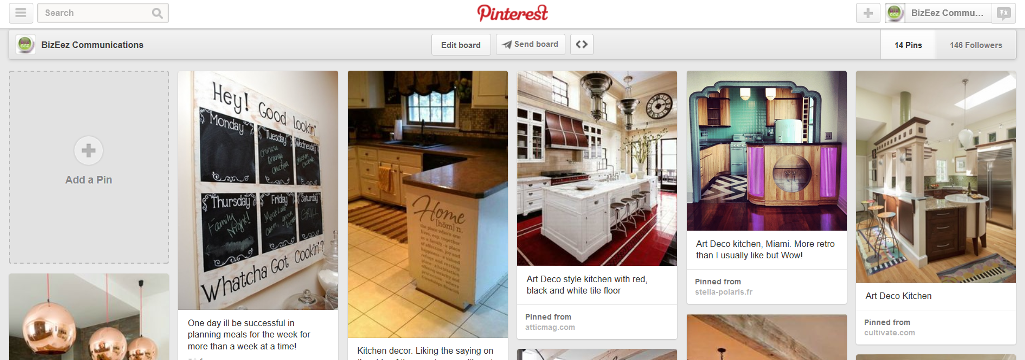
By now you realise the power of Pinterest to help increase traffic, gain exposure and generate sales for your food, wine or tourism business.
But, did you know that Pinterest is also great for search engine optimisation (SEO) purposes?
Each time a pin is pinned or repinned, Pinterest creates a backlink from the source page. The more a pin gets shared (repinned), the more backlinks are created. Hopefully, if you’re creating quality sharable content on your website – the backlink will be from your website.
Here are some easy ways to search optimise Pinterest and ensure your brand is getting excellent search results.
Create a Business Account
With the advent of Pinterest for Business late last year, there are now brand-new opportunities for any wine, food or tourism business that wants to use Pinterest as a means of marketing and advertising.
Wineries, restaurants and tourism operators who were already using Pinterest for marketing can now use the specialised business accounts instead of a personal account.
These business accounts are designed specifically for brands and have all the options including analytics and training needed to really rock your online marketing. So if you haven’t done so already, transfer to a business account today!
Verify your Business Account
Thanks to the Business Accounts, Pinterest now enables you to verify that your business website is yours, and you are who you say you are. Not just great to increase your credibility, but also a fabulous opportunity to help with SEO.
By verifying your business account, you’ll add to the legitimacy of your food, wine or tourism business. Simply go to your profile and just follow the directions on Pinterest for Business to get verified.
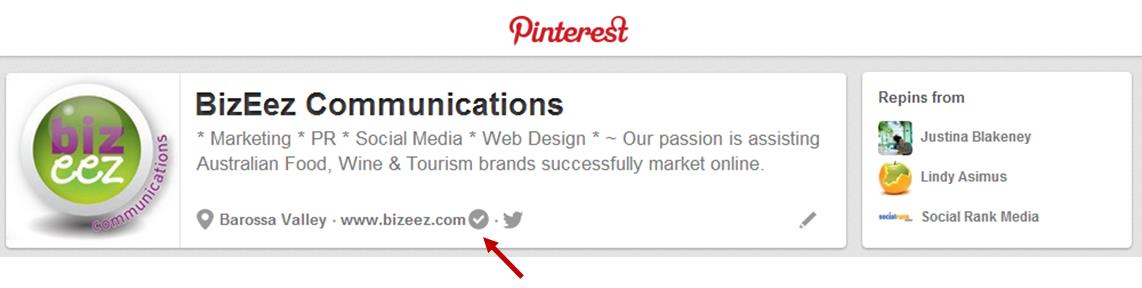
Once your website’s been verified, you’ll see a tick next to it and will have access to your web analytics when you’re logged your business account. Win/Win in my book!
Complete Your Profile
It should go without saying, but is truly amazing how many people don’t fully fill out their business profiles, not just on Pinterest, but so many social networks.
Doing so is vital for search optimisation purposes much less your customers and target audience trying to find your winery, restaurant or hotel.
Give a lot of thought and consideration to the small amount of space you get to create your profile. Use each word wisely and remember your keywords!
Use Keywords
Keywords are not just important in your business profile, but should be employed at every chance you get ~ titles, descriptions, captions, board names, pin names and of course in your profile.
Fill out any copy with the keywords your target audience may use to find your information. Think strategically about keywords and never forget who your target audience is.
Go Public
Pinterest has an option to keep search engines (Google, Bing, Yahoo!) from showing your Pinterest profile or boards in search results.
Now if you want to be using Pinterest to help your search optimisation check this to ensure that you’re not hiding from the search engines!
It’s under your Business Account Settings / Basic Info.

Keep at It
There’s no point creating your business account, pinning a few different pins to boards and then leaving it.
Using Pinterest for business marketing purposes is the same as using any other social media site ~ a marathon, not a sprint! [Tweet this]
Start off with different boards in various categories within your niche market – keep it simple at first. Only 3 or 4 boards. Do however, ensure that these boards match with your keywords, connect with your target audience and provide value.
It’s important to realise that like any social media, Pinterest is after all: Social.
Actively engage with others on Pinterest just like you would on other social media sites. Pin other people’s content strategically.
Simply search for content relevant to your target audience that isn’t in direct competition to you, and share it. Your audience will appreciate it, and those whom you share will return the favour.
Pin it
Even though not strictly optimising your Pinterest business account – do not forget to optimise your website especially if you have an online store. A Pin It button encourages people visiting your website to share your images with their Pinterest following.
We even have a Pin It button on this blog.
By search optimizing your Pinterest Business Account, you’ll go far in creating an excellent marketing channel that will incite not only searchability, but engagement and loyalty. And did I mention it’s so much fun?
Until next time…..